Insights Bot
A Slack bot that gives Lukka's internal team real-time crypto data with a single command. No tab switching, no interrupting a coworker mid-call.
Context
Lukka builds crypto data and financial software for funds, financial institutions, and government agencies. Their internal platform, Lukka Insights, holds real-time pricing data, market cap, coin scores, and more across hundreds of crypto assets.
The problem was not the data. The data was good. The problem was that getting to it took too many steps, and those steps were happening at the worst possible moments.
The problem
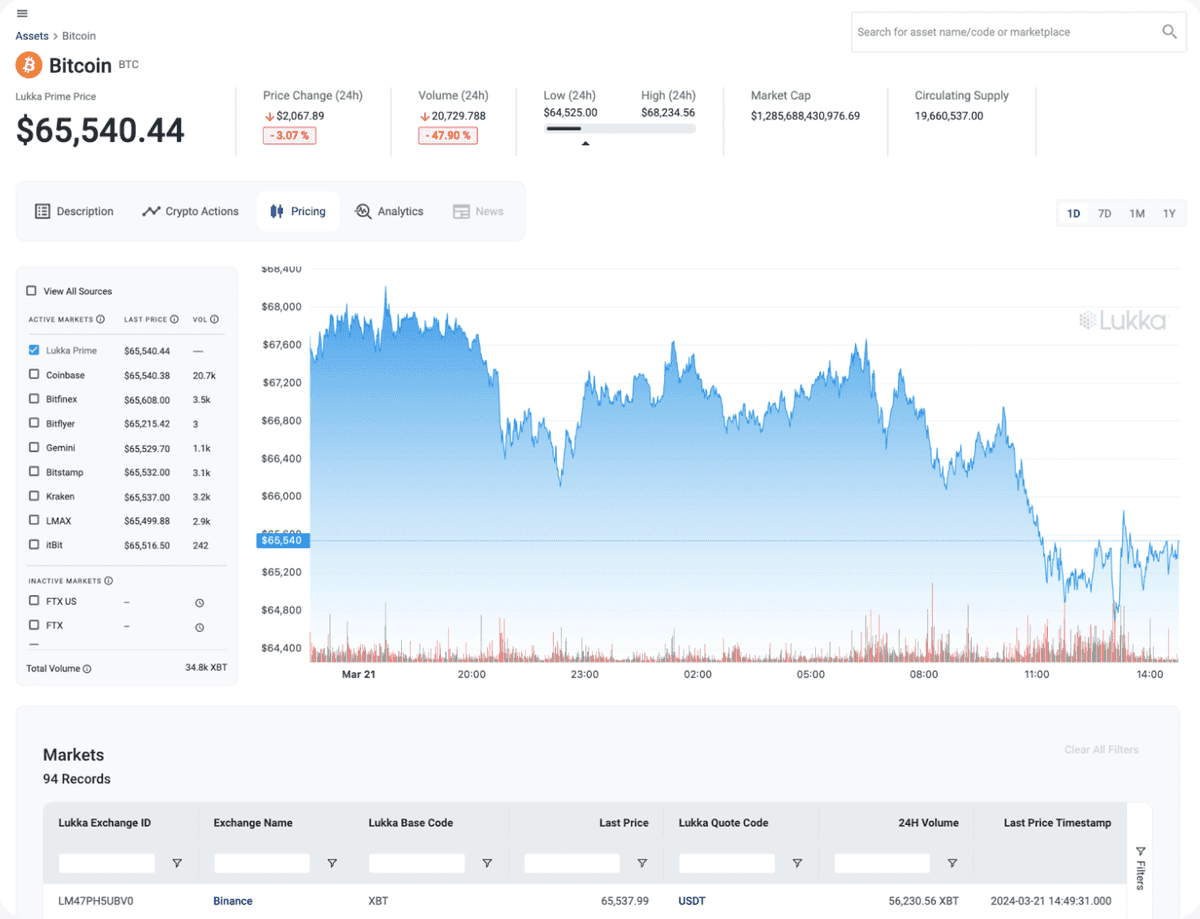
Lukka employees across data, engineering, and sales were scrambling mid-client-call to pull crypto prices. The process: open Lukka Insights, filter by asset, locate the number. By the time they got there, the conversation had already moved on.
The workaround was pinging a coworker who had quicker access. Now two people were pulled away from actual work to answer one data question.
Research
I interviewed 15 internal team members across the data and engineering teams to understand where the friction actually lived. I also ran a requirements session with Andrew, the project owner, to understand what commands would be most useful day-to-day.
Four things came up consistently across every conversation:
Crypto prices were the most urgent ask. During client calls, someone needed the current price of an asset right now, not after navigating four screens.
The multi-step flow in Insights was the blocker, not the data. Nobody complained about the quality of Insights. They just could not afford the time it took to get in and out of it mid-conversation.
Sales and data teams had the same pain independently. This was not a niche complaint. It was consistent across roles.
Everyone already lived in Slack. The ask was not a new tool. It was: bring the data to where we already are.
The approach
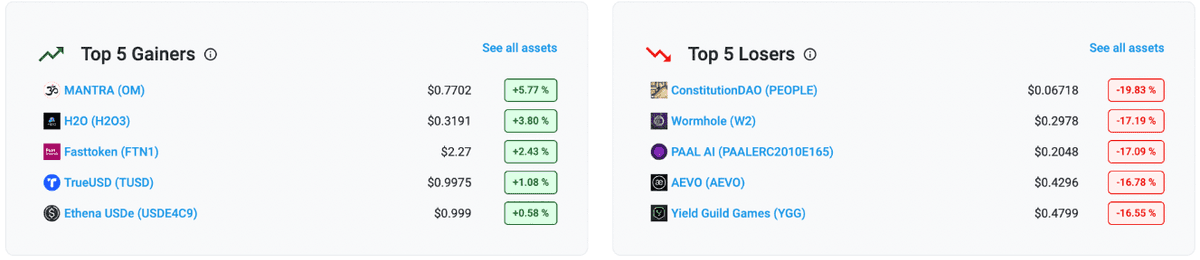
After research I mapped out the commands that would cover the most ground: /price, /marketcap, /coinscore, /sustainabilityscore, /top5gainers, /top5losers, and more. The goal was to use familiar Slack slash command patterns so there was no learning curve at all.
I built every screen from scratch in Figma using the official Slack UI kit, then prototyped the full user flow to present to the team and stakeholders.
Design iterated through multiple rounds of feedback. One key change: originally clicking "click here for more information" in the bot response did nothing useful. After feedback, it was wired to route directly to the relevant asset page inside Lukka Insights, so users could get the full picture without starting navigation from scratch.
Final design
This is the full user flow, from first access through to retrieving data and diving deeper into Insights.
Step 1: Initial access
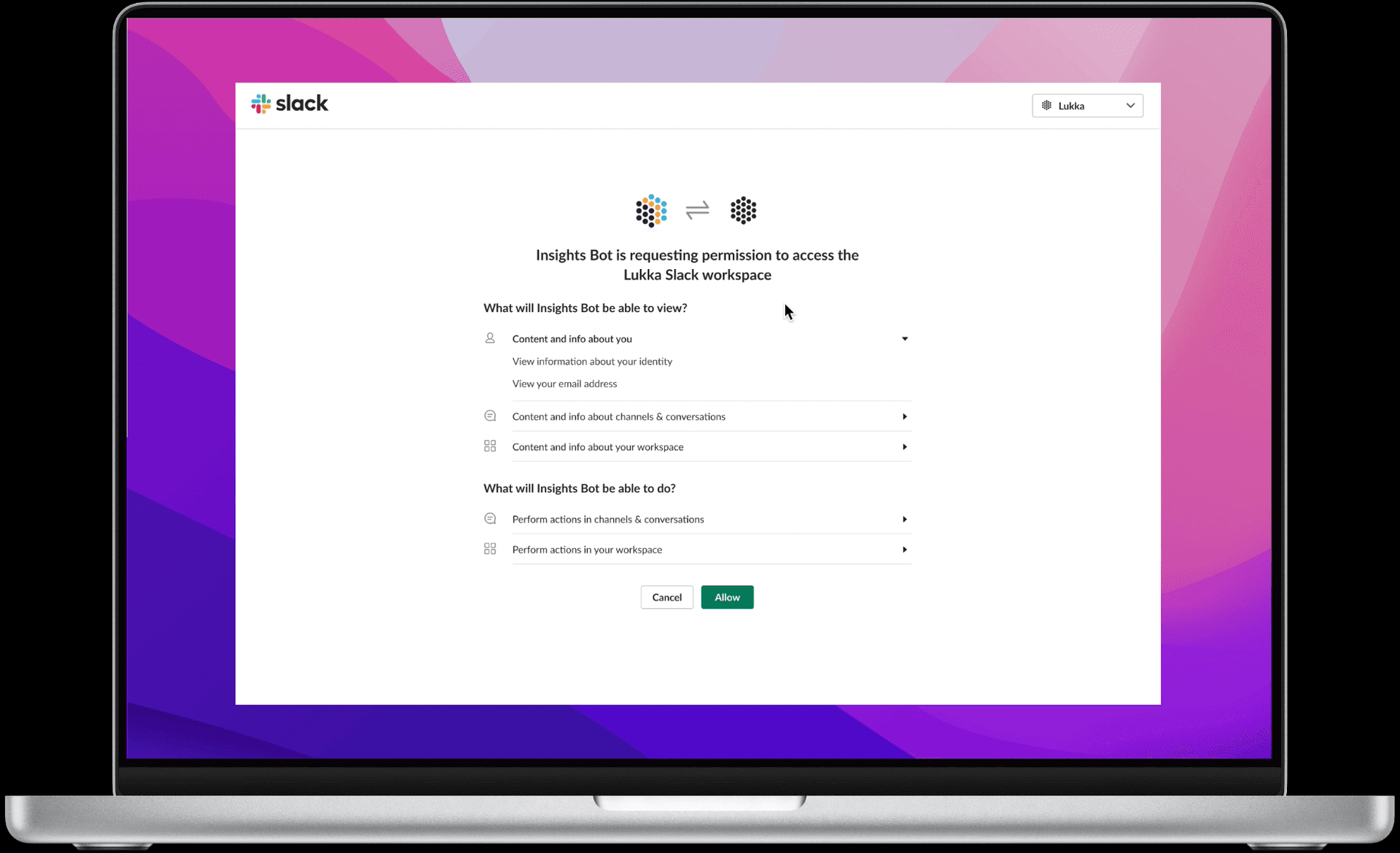
The bot requests permission to access the Lukka Slack workspace. One click to allow.
Step 2: Onboarding
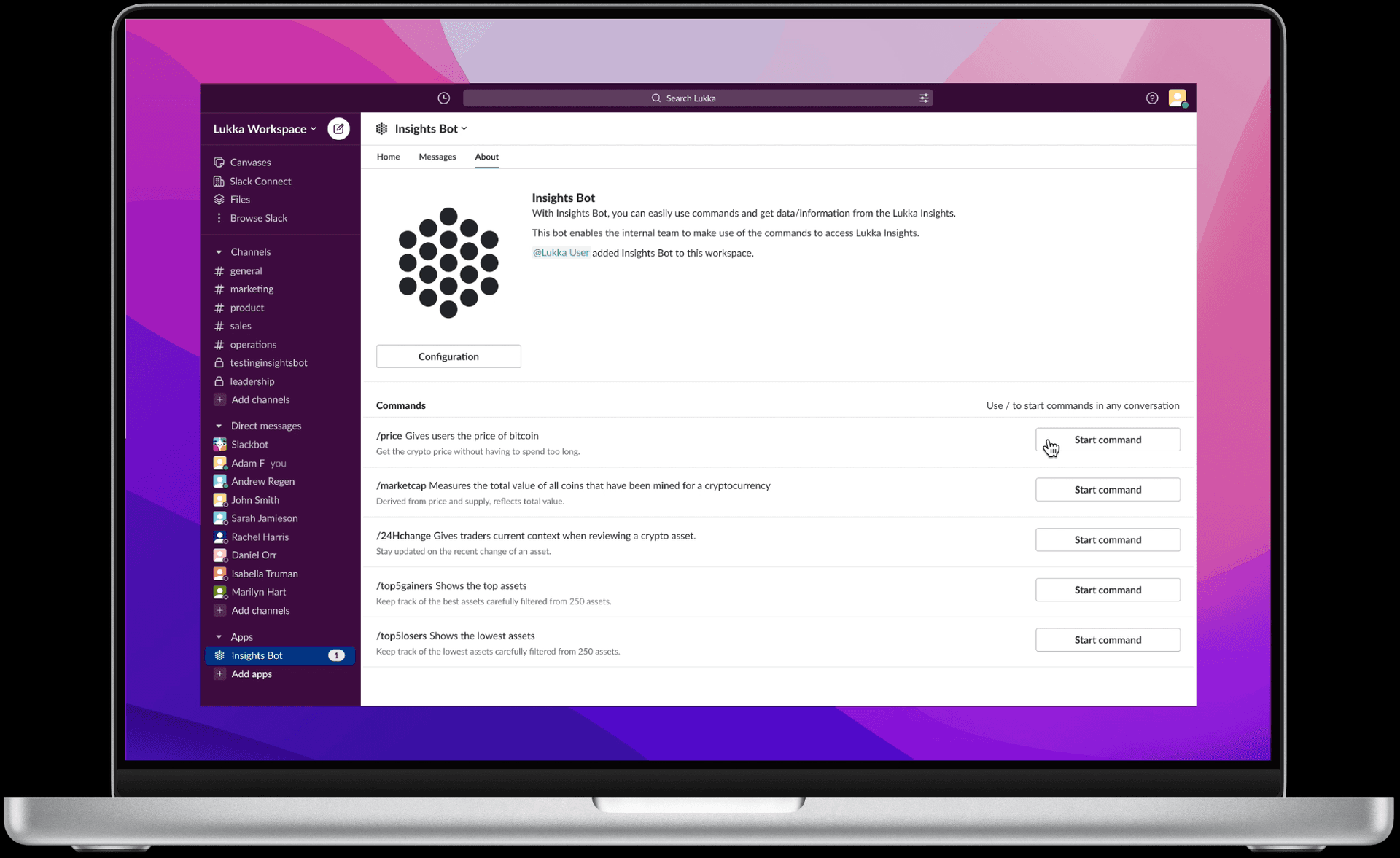
The About page lists every available command. Users know exactly what to ask for before they type anything.
Step 3: Chatting with the bot
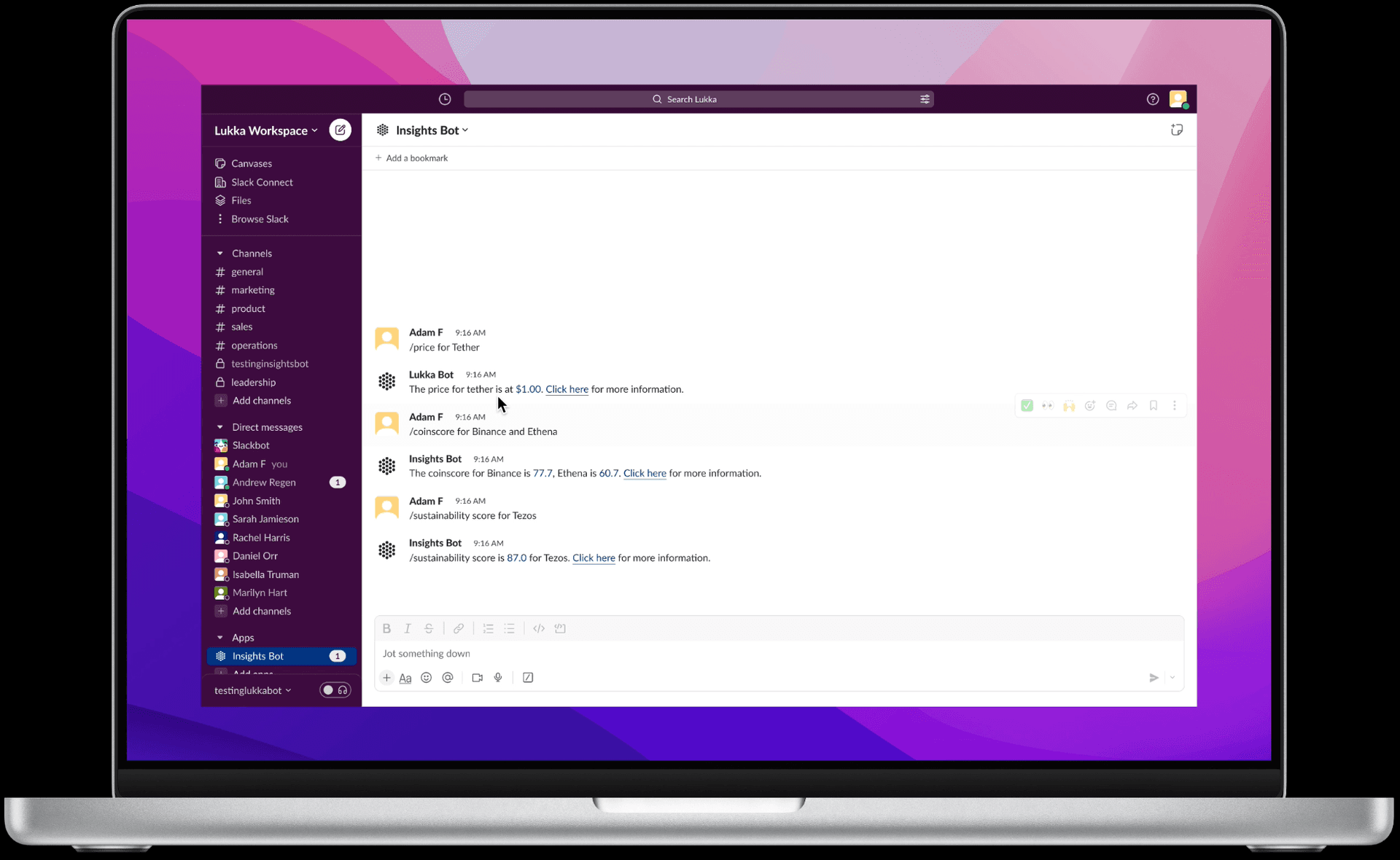
The bot lives in Slack like any other DM. Type a command, get an answer instantly.
Step 4: Coworker notification
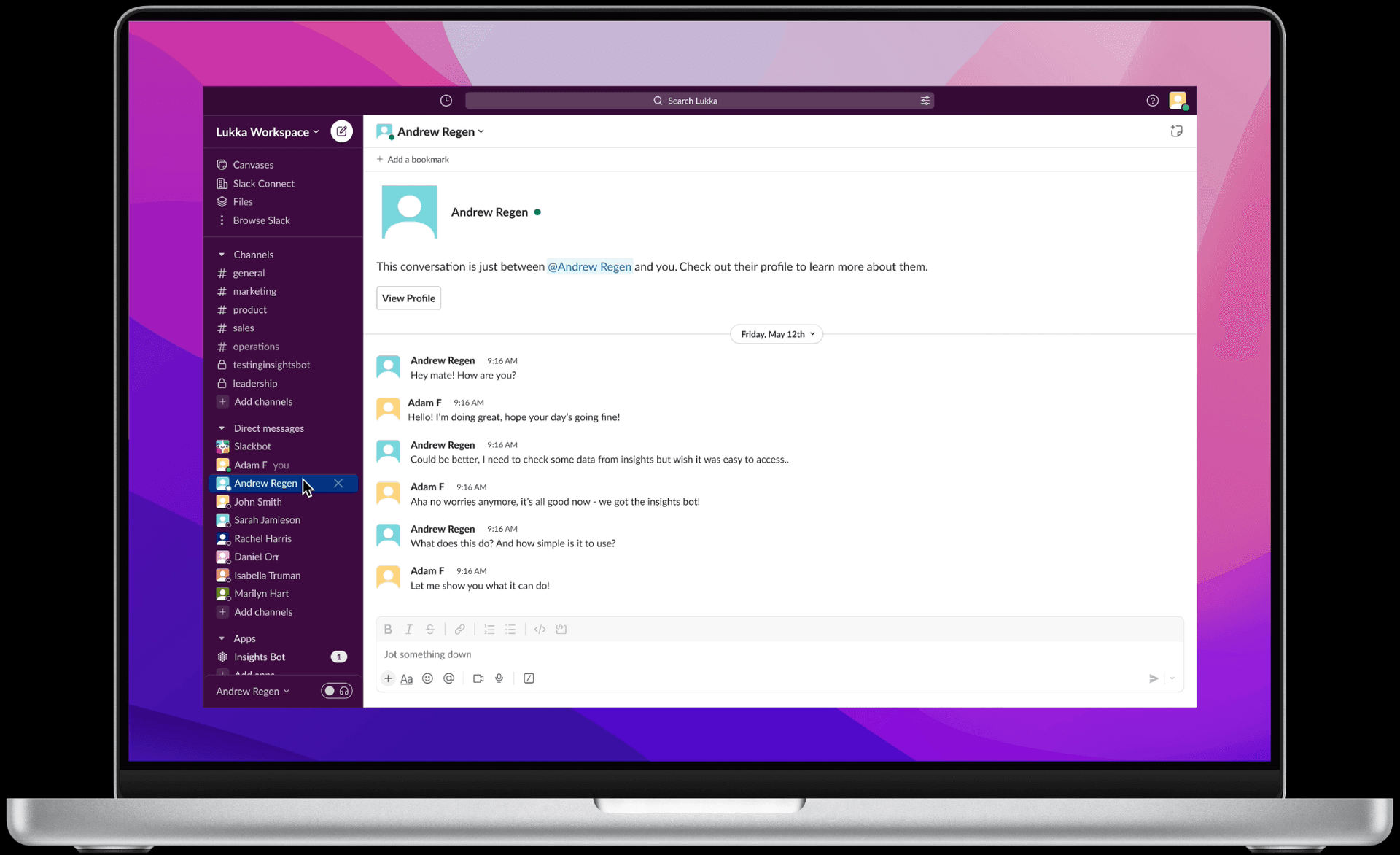
Mid-session, a coworker pings asking for data.
Step 5: Sharing the bot
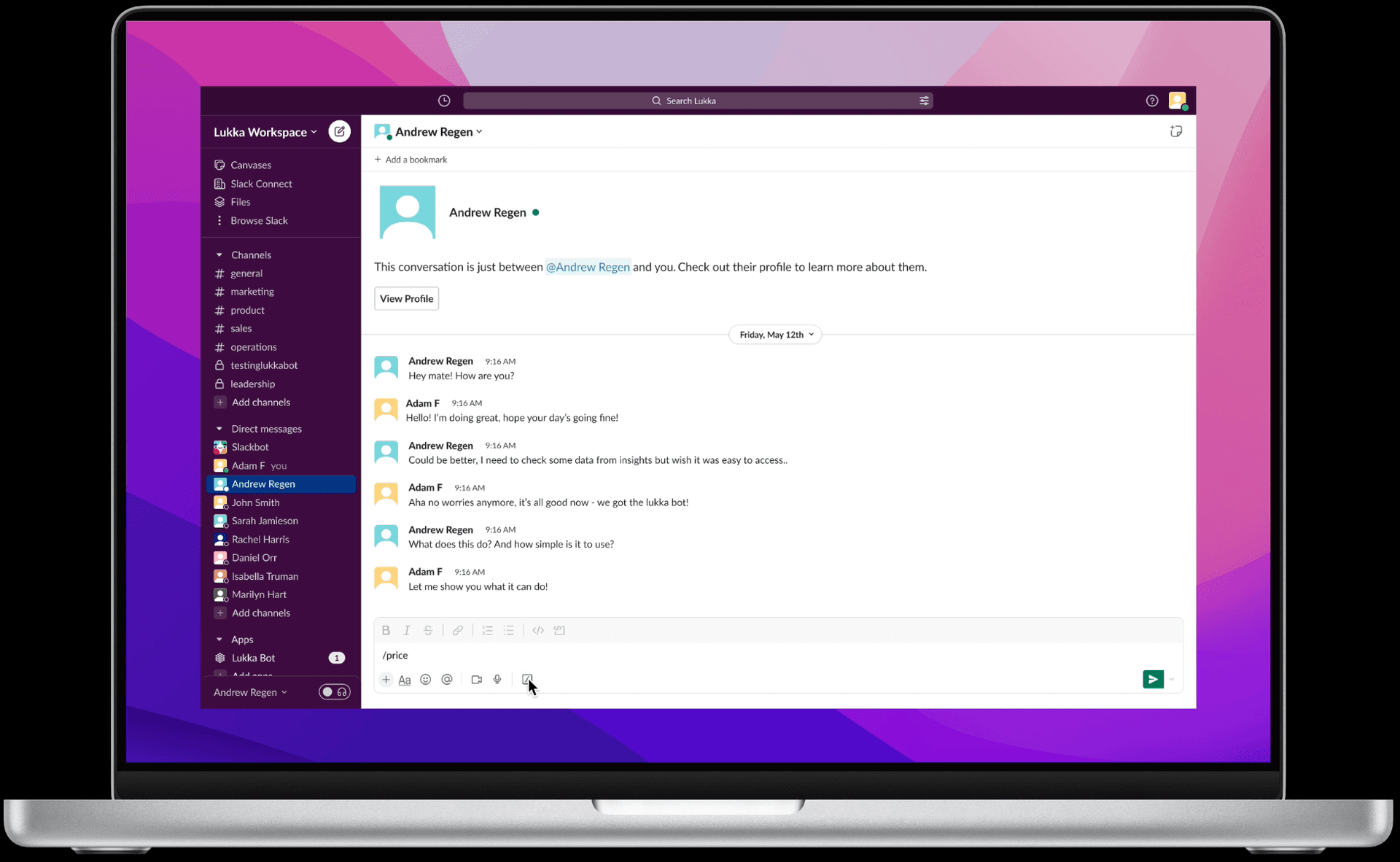
Instead of pulling the data manually, the user introduces the bot to the conversation. Now both people have access.
Step 6: Asking for a price
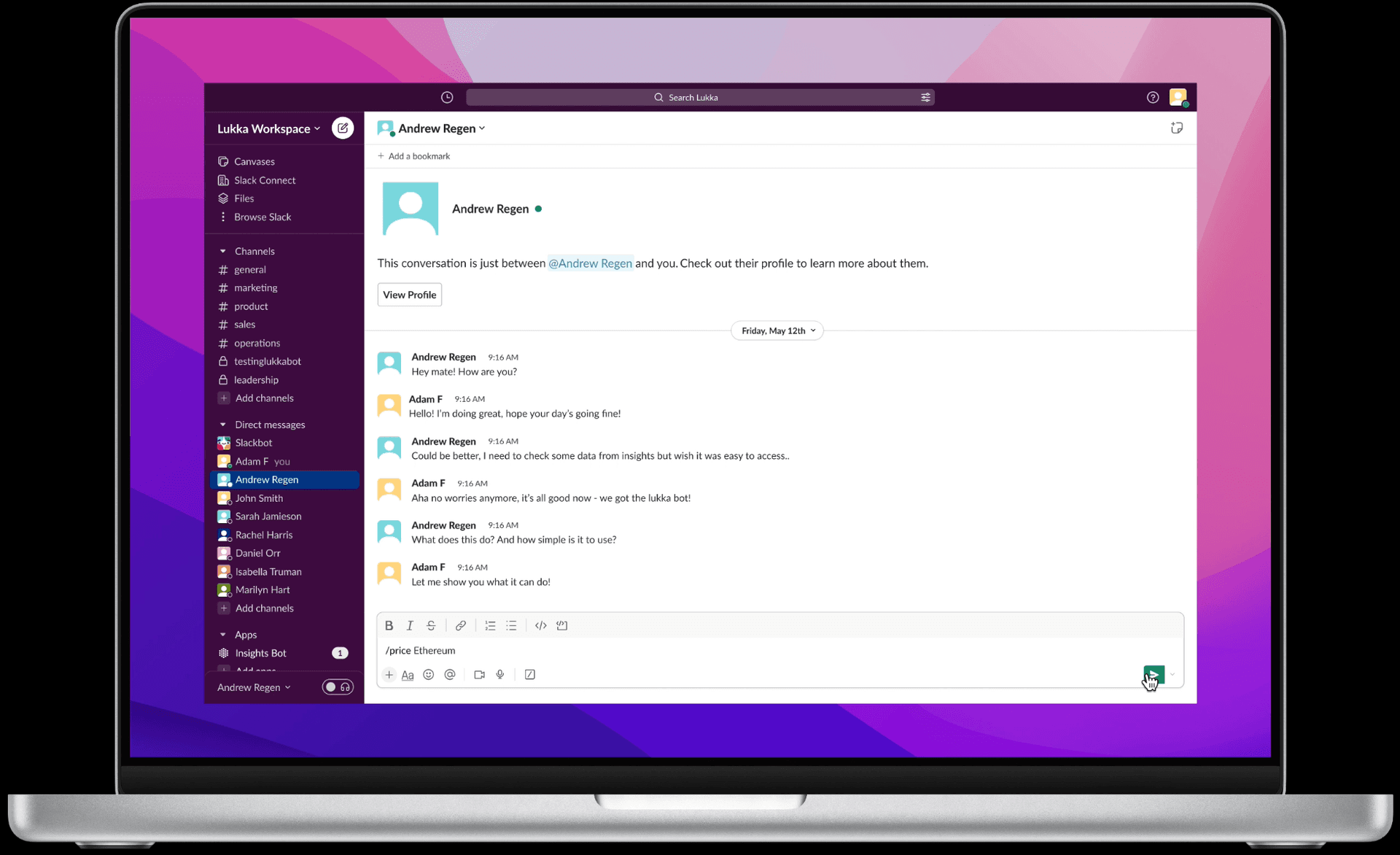
User types /price. A dropdown of all available assets appears.
Step 7: Asset dropdown
Selecting an asset from the dropdown. No manual ticker typing, no errors.
Step 8: Price returned
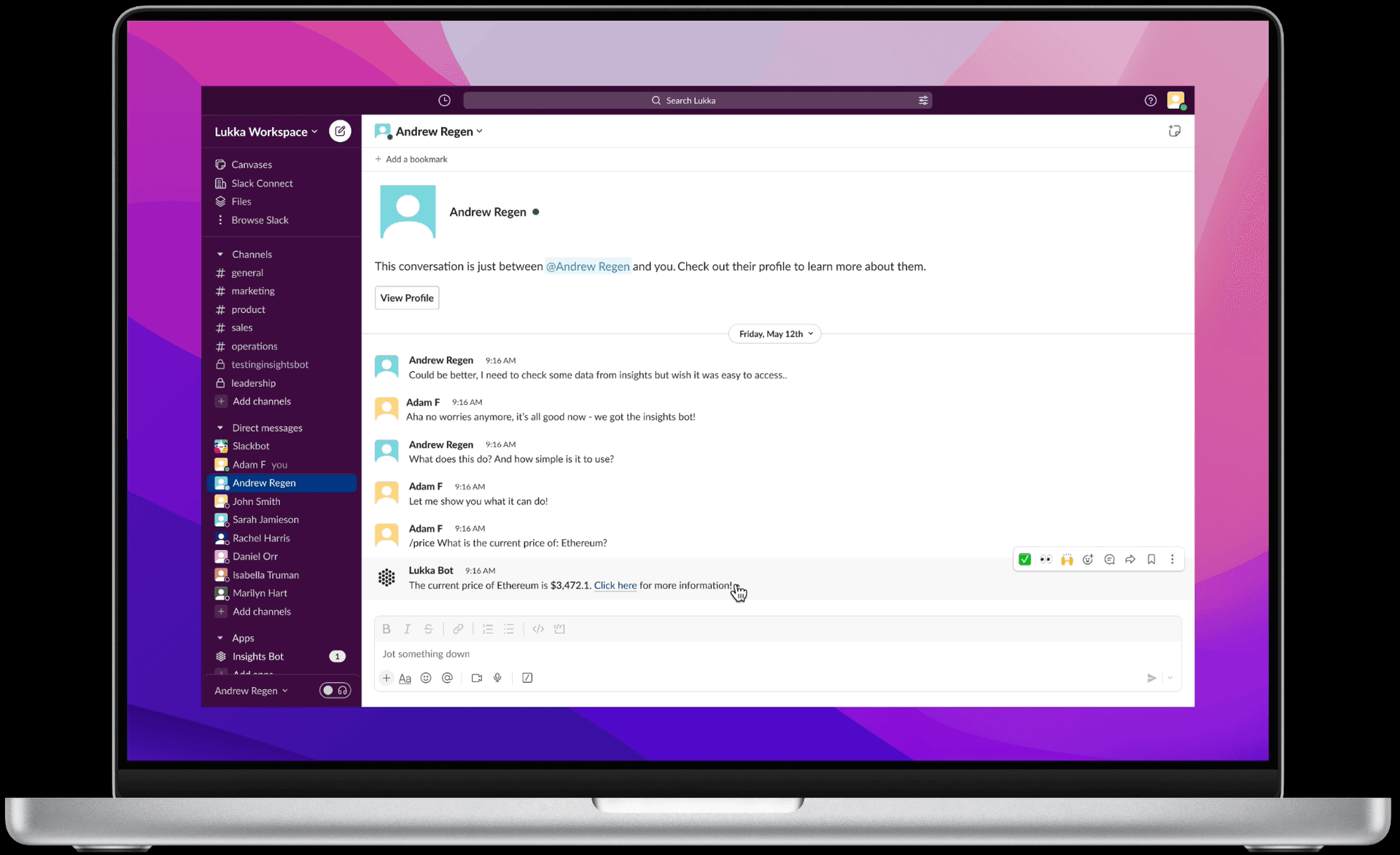
The bot returns the current price instantly, timestamped.
Step 9: Click here for more
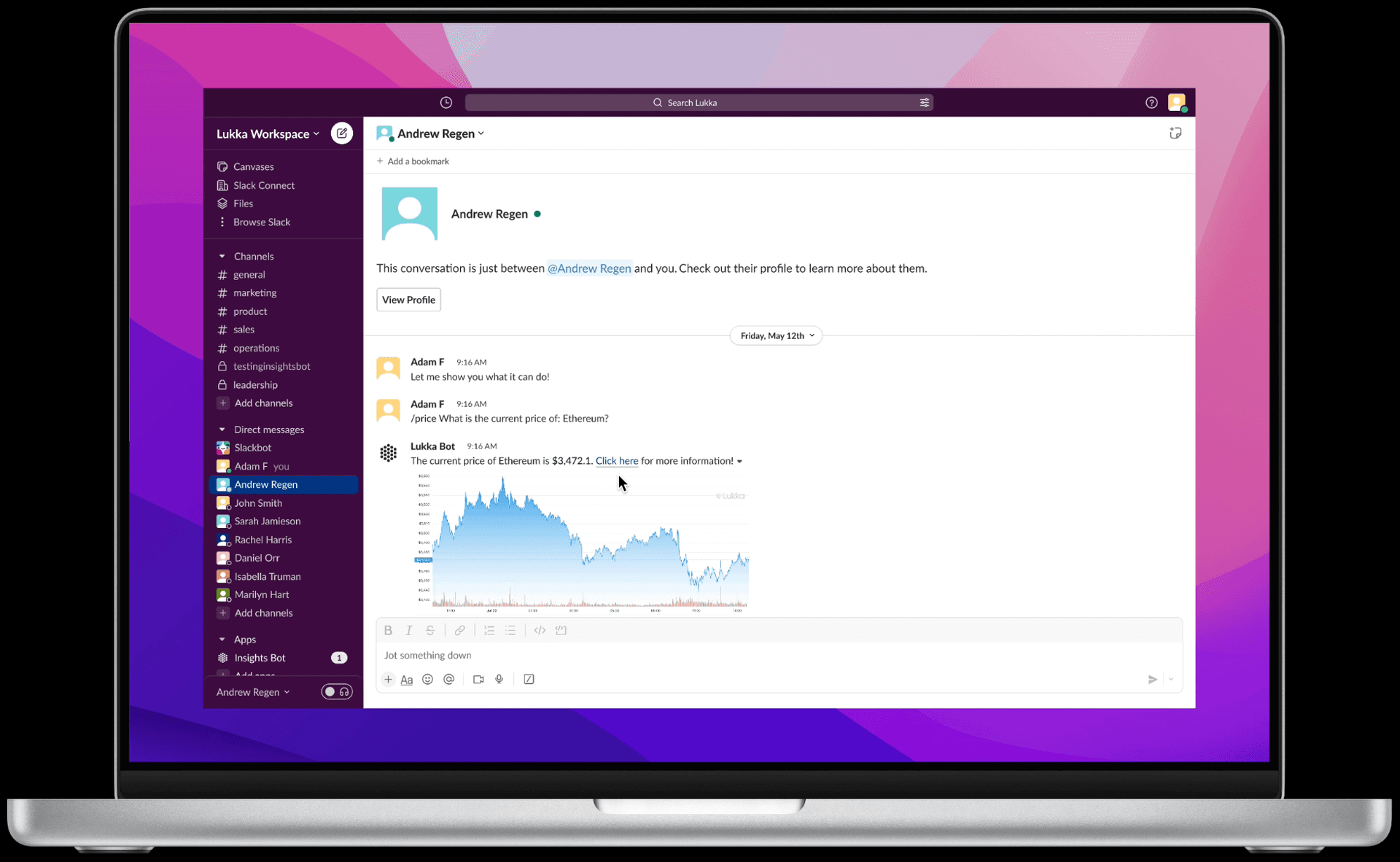
A link in the bot response routes directly to the full asset page in Lukka Insights.
Step 10: Full Insights page
The user lands on the complete asset view. The bot handled the quick answer, Insights handles the deep dive.
What I learned
Designing inside another product's design system was new for me. Working within the Slack UI kit meant every pattern already felt familiar to users. There was no onboarding friction because the interface was one they already used every day. That constraint actually made the design better.
The bigger thing: the problem was never the data. Lukka Insights had everything the team needed. The problem was the distance between the data and the moment someone needed it. A well-placed slash command meant nobody had to scramble mid-call, nobody had to interrupt a coworker, and nobody had to navigate five screens to answer one question.
That gap between good data and accessible data is where a lot of the real UX work lives.